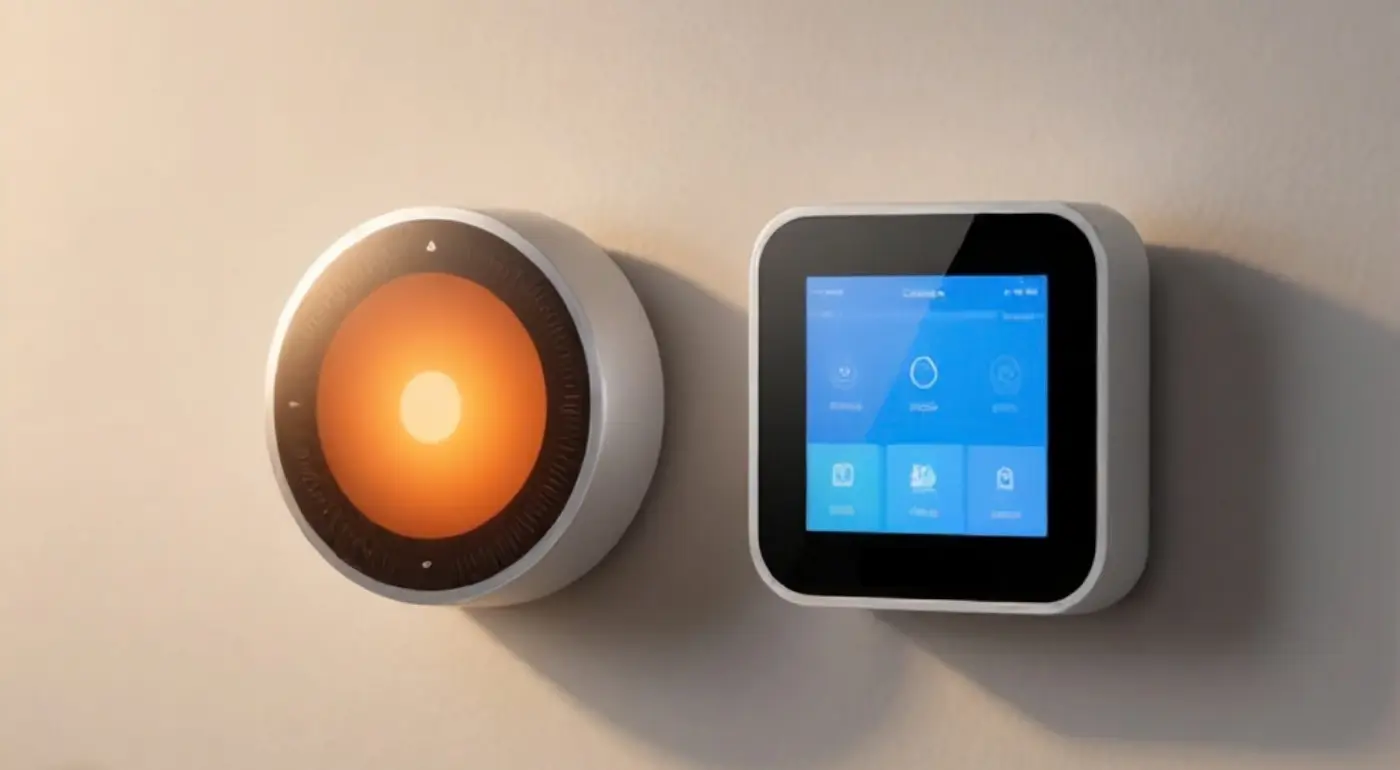
Nest and Ecobee are the two names most people encounter when researching smart thermostats. Both promise similar outcomes: learning your schedule, avoiding heating or cooling an empty home, and reducing seasonal energy bills. The question beneath that promise is what matters most—which of the two actually delivers measurable savings on heating costs, and under what conditions?
Pace heating accounts for roughly 42.5% of all energy used in a typical American home, according to the U.S. Energy Information Administration’s Residential Energy Consumption Survey, while space cooling represents about 9.1%. Heating is where household energy spending concentrates—and also where a thermostat’s influence is most constrained. Insulation, air sealing, and window performance set the upper limit on potential savings; a thermostat determines how much of that potential you actually capture through scheduling, occupancy detection, and setpoint management.
This comparison therefore focuses on what can be answered with confidence: how each platform approaches energy savings, what features drive those savings, and where their limitations lie. All information below is drawn from vendor documentation, published support pages, and program specifications, rather than proprietary testing or household-specific utility data.
Nest vs Ecobee Thermostat: Feature Breakdown
The table below compares Nest and Ecobee thermostats across the key factors that typically drive purchase decisions. All entries are based on the detailed analysis in the sections that follow.
| Feature | Google Nest | Ecobee |
|---|---|---|
| What it controls | Heating, cooling, heat pumps, dual-fuel systems, auxiliary heat | Heating, cooling, heat pumps, dual-fuel systems, auxiliary heat, ventilators/humidifiers |
| Sensors included | Built-in temperature/humidity/proximity; 1 remote temperature sensor included (4th Gen) | Built-in temperature/occupancy/humidity; 1 SmartSensor included (Premium) |
| Works without internet | Maintains basic schedule and manual temperature control locally | Maintains basic schedule and manual temperature control locally |
| What needs a subscription | Nest Aware (optional video/security bundling; no core thermostat features paywalled) | Smart Security / optional plan quoting “enhanced energy savings” |
| C-wire requirement | Power harvesting works on many systems; C-wire or Nest Power Connector recommended | C-wire required; Power Extender Kit (PEK) included in the box |
| Best for | Hands-off automated learning and Google Home ecosystem integration | Granular HVAC customization, multi-room occupancy tracking, and Apple HomeKit |
When evaluating this feature breakdown, focus on how each thermostat aligns with your home’s existing HVAC wiring and control requirements. Homes requiring specialized indoor air quality management—such as standalone dehumidifiers or HRVs—will lean toward Ecobee’s accessory terminals, whereas households prioritizing automated schedule creation without manual programming will benefit from Nest’s algorithmic approach. Additionally, verify whether your electrical gang box contains a C-wire before choosing, as this dictates whether you need to install an adapter during setup.
What Actually Drives a Heating Bill
When evaluating a smart thermostat during the winter months, it is critical to keep hardware expectations grounded in building science. A thermostat is fundamentally a switch; it sends low-voltage control signals to your heating plant based on dry-bulb temperature readings. It does not generate heat, nor does it alter the thermal resistance of your walls. The absolute energy required to maintain a set indoor temperature is dictated almost entirely by your home’s thermal envelope—the structural barrier composed of insulation, exterior air barriers, windows, and doors—and by your baseline temperature setpoints.
According to data from the U.S. Energy Information Administration (EIA) Residential Energy Consumption Survey, space heating accounts for approximately 42.5 percent of total site energy consumption in an average American household. By comparison, space cooling represents roughly 9.1 percent. In practical terms, space heating consumes about 4.6 times more site energy than space cooling. Because space heating represents such a massive block of household energy demand, even minor systemic inefficiencies or excessive setback recovery cycles can lead to substantial fuel consumption.
To contextualize where heating dollars go, historical baselines from the EIA 2015 survey highlight the stark economic differences across heating fuel sources. Average annual space-heating expenditures stood at approximately $396 for electricity, $519 for natural gas, $1,010 for propane, and $1,164 for fuel oil. While retail fuel tariffs fluctuate constantly, these survey figures demonstrate a structural truth: homes burning delivered fuels (oil and propane) or operating unassisted resistance electricity face significantly higher baseline heating liabilities than those on natural gas grid lines. Consequently, reducing operational runtime yields a much larger dollar return in a propane-heated home than in a natural gas-heated home, regardless of which thermostat brand is mounted on the wall.
The same arithmetic for lighting is worked through in Best Energy Efficient Smart Bulbs: What Actually Saves You Money, where the real savings turn on how a device is used rather than on the label.
What a Smart Thermostat Can and Cannot Save
To set accurate expectations for a heating-season upgrade, homeowners must understand how smart thermostat energy savings are tested, certified, and marketed. The central metric quoted across the industry is ENERGY STAR certification, administered by the U.S. Environmental Protection Agency (EPA). To earn certification, an ENERGY STAR certified connected thermostat must demonstrate field-tested software capabilities that yield a baseline runtime reduction across real-world homes.
The core threshold established by the ENERGY STAR connected thermostat specification requires certified devices to achieve an average HVAC runtime reduction of at least 8 percent for heating and at least 10 percent for cooling. These figures are derived from aggregated field data collected across a minimum sample size of 1,000 homes evaluated over a full calendar year. It is important to emphasize that runtime reduction measures the total hours the furnace, heat pump, or boiler operates compared to a baseline period; it is a metric of system activity, not a direct promise of an 8 percent cash reduction on your utility statement. Local fuel costs, weather severity, and billing structures mean runtime drops do not scale linearly into currency.
A widespread misconception among consumers is the claim that smart thermostats deliver “15 percent cooling savings.” This 15 percent cooling figure is not an EPA ENERGY STAR threshold. It comes from one ENERGY STAR partner’s own study, reported in ENERGY STAR’s guidance, and reflects that single company’s results rather than a program-wide standard. The official EPA criteria strictly mandate a minimum field-tested runtime reduction of 10 percent for cooling, not 15 percent. Presenting the 15 percent figure as a universal standard or EPA benchmark is inaccurate.
Furthermore, actual home energy savings depend heavily on your baseline behavior prior to installing a smart thermostat. If a household previously maintained a constant 72°F setpoint 24 hours a day throughout the winter, implementing automated setbacks—dropping the temperature to 64°F during sleep cycles and work hours—will yield noticeable runtime reductions. Conversely, if a household already adjusted a manual thermostat with rigid discipline every morning and night, installing a smart thermostat will offer convenience and remote monitoring, but little incremental fuel reduction. The hardware optimizes the execution of setbacks, but the setback temperature profile itself provides the financial benefit.
Nest vs Ecobee Thermostat: Hardware and Software
Disclaimer: The analysis in this section and throughout the article is based strictly on vendor documentation, published support pages, and public program specifications. We have not conducted hands-on laboratory testing or long-term field testing of these hardware units.
Google Nest
Google Nest thermostats operate as automated, learning-centric climate controllers within the Google Home ecosystem. The core philosophy of the Nest design is hands-off operation: rather than requiring users to construct complex seven-day schedules manually, the thermostat tracks initial manual dial adjustments over a week or two, using algorithmic pattern recognition to build a dynamic schedule. The hardware relies on a distinct dial mechanism (or touch bar, depending on the tier) and a polished, minimalist user interface designed for immediate visual recognition.
Regarding remote environmental sensing, Nest utilizes discrete, battery-powered temperature sensors that communicate back to the primary display over Bluetooth Low Energy (BLE). Because communication relies on localized BLE protocols, these remote units continue to broadcast local ambient temperature readings to the main display even if the household Wi-Fi network drops out entirely. According to official Google Nest Support documentation, if the primary thermostat loses communication with an assigned remote sensor for more than 10 minutes, the hardware logic automatically falls back to utilizing the thermostat’s built-in internal temperature sensor to prevent runaway heating or cooling cycles.
From a cost and software ecosystem perspective, core thermostat functionality, scheduling algorithms, and remote access via the Google Home app do not require a paid subscription. Nest devices integrate optional paid services through Nest Aware, but these plans are strictly tied to home security, camera event storage, and sound detection rather than paywalling standard HVAC controls. Nest hardware is best suited for households seeking a hands-off, self-adjusting schedule integrated into an Android or Google Home environment. Consumers should watch out for potential power-sharing issues on complex multi-stage systems if installed without a dedicated C-wire or isolation transformer.
Ecobee
Ecobee thermostats utilize a touchscreen-first user interface that presents direct, detailed control over system settings, multi-stage thresholds, and accessory integration. Operating seamlessly across Apple HomeKit, Amazon Alexa, and Google Home, Ecobee acts as a central smart home hub. Unlike pure learning models, Ecobee centers its energy-management strategy on explicit schedule blocks combined with occupancy detection to shift setpoints based on real-time room usage.
The voice-control side of that ecosystem is worked through in Local Voice Assistant for Smart Home: Offline & Private, where wake-word detection and transcription run on local hardware rather than a cloud API.
The key hardware differentiator for Ecobee is its SmartSensor ecosystem. Each SmartSensor contains built-in temperature sensing alongside Passive Infrared (PIR) body-heat detection. Unlike simple motion sensors that trigger only on quick movements, PIR technology detects thermal radiation emitted by living bodies, allowing the system to distinguish true room occupancy from static background shifts. As published in Ecobee Support documentation, when a room remains occupied, the system increases the weight given to that sensor in its multi-room averaging calculations. An Ecobee thermostat supports up to 32 expansion SmartSensors, making it exceptionally capable across large, multi-story homes.
While standard scheduling, home automation integrations, and remote controls are completely free, Ecobee offers optional paid tiers like Smart Security and premium Eco+ features that state they offer “enhanced energy savings” alongside home monitoring capabilities. These claims are cited directly from vendor documentation; Ecobee does not fully detail the proprietary mechanics behind these subscription-based savings features. Ecobee is best for technical users, Apple HomeKit households, and homes with significant room-to-room temperature imbalances. Consumers should watch out for installation requirements, as Ecobee devices need continuous 24V power, supplied by a C-wire or the included wiring adapter.
Core Operational Differences
When evaluating an ecobee vs nest deployment for multi-room balance, the fundamental distinction lies in how software logic interprets user intent and room climate data. Google Nest relies heavily on predictive machine learning. It observes when you turn the dial down at night or up in the morning, constructing a baseline program automatically. Ecobee, by contrast, relies on user-defined target profiles (such as Home, Away, and Sleep) and dynamically alters setpoint execution based on physical room occupancy.
Multi-room temperature management reflects another major divergence in design philosophy:
- Nest Temperature Averaging: Nest approach relies on scheduled active-sensor selection or simple numerical averaging across ambient temperature sensors. It relies strictly on temperature values without factoring in live human presence.
- Ecobee SmartSensor Averaging: Ecobee employs PIR thermal body-heat tracking. If three bedrooms have sensors but only one is occupied, the hardware gives higher mathematical weight to the occupied room, reducing heating output to empty areas of the home.
For heat pump management and dual-fuel configurations — systems pairing an electric heat pump with an auxiliary gas or oil furnace — the two brands take different approaches to staging. Nest handles it automatically through a feature called Heat Pump Balance, which manages how much the system relies on the heat pump versus the auxiliary heat. Ecobee exposes more of that decision to you, letting you configure the connections and adjust the trigger thresholds that decide when the system switches between heat pump and auxiliary heat. If you want the system to decide, Nest is the simpler choice; if you want to tune the switchover yourself, Ecobee gives you the controls.
Regarding smart home interoperability standards, both brands support modern protocols like Matter to integrate with major platforms, though these network layers do not alter core HVAC mechanics. Local control capabilities remain comparable across both options: if an internet outage occurs, both thermostats retain their localized system schedules and allow manual setpoint changes directly on the physical unit interface, ensuring your house will not freeze due to a router drop.
The platform layer behind that local control is worked through in How Matter and Thread Are Reshaping Smart Home Platforms, where the focus is on protocols rather than on HVAC control.
Installation and the C-Wire Question
Before purchasing any smart thermostat, you must understand your system’s electrical wiring—specifically the presence of a C-wire (Common wire). The standard HVAC control circuit operates on 24-volt Alternating Current (24VAC). The C-wire provides a continuous power return path to the HVAC equipment transformer, supplying constant current to power the thermostat’s Wi-Fi radio, display backlight, and processor without draining internal batteries.
The two brands handle power delivery using noticeably different engineering approaches:
- Google Nest: Standard Nest units are engineered with internal lithium-ion batteries and power-sharing technology. When no physical C-wire is attached, Nest “harvests” tiny amounts of electrical current from the heating (R) and cooling (Y or W) control lines when the system is resting. While this allows installation on many older two-wire or four-wire HVAC systems without pulling new cables, power harvesting carries risks. On certain modern furnace control boards, this low-level current draw can cause relays to chatter, cause furnace control boards to throw fault codes, or result in Wi-Fi disconnects and low-battery errors during deep freeze conditions when heating runs constantly. To eliminate these issues, Google recommends installing a C-wire or adding the Nest Power Connector accessory.
- Ecobee: Ecobee requires continuous 24VAC power, supplied either by a C-wire or by the Power Extender Kit (PEK). Ecobee includes the PEK in the box, which matters because plenty of older homes have no C-wire behind the drywall. According to Ecobee’s own compatibility documentation, the majority of installations can run on the C-wire or the PEK, and the kit installs at the system control board rather than behind the wall — so no new wires need to be fished through your house. Less common setups may still require additional third-party components, which is worth confirming against Ecobee’s compatibility checker before you buy.
Regardless of which model you select, you should never guess your HVAC compatibility based on wire insulation colors alone. Always turn off the circuit breaker to your air handler, remove your existing thermostat faceplate, photograph the lettered wire terminals, and cross-reference your wiring setup with the official vendor online compatibility checkers prior to purchasing.
Rebates and Tax Credits
When budgeting for a heating-season climate control upgrade, homeowners frequently ask whether smart thermostats qualify for federal tax incentives or local utility money-back rebates. It is crucial to separate federal tax legislation from regional utility energy efficiency programs to avoid unexpected expenses.
Under current U.S. tax policy, the federal Section 25C Energy Efficient Home Improvement Credit does not list smart thermostats among qualifying equipment improvements. While Section 25C offers significant incentives for major residential energy overhauls—covering qualified heat pump installations, heat pump water heaters, and electrical panel upgrades at 30 percent of total project cost up to a $2,000 annual cap—standalone smart thermostats are omitted from the qualifying list. You cannot claim the 25C federal tax credit for simply purchasing and mounting a smart thermostat.
However, substantial financial incentives are widely available at the local level through electric and natural gas utilities. utilities often offer per-device rebates — amounts vary widely by region and program year because smart thermostats reduce peak grid demand during severe winter cold snaps and summer heat waves. To locate verified local incentives, enter your ZIP code into the ENERGY STAR Rebate Finder prior to making a purchase. Because rebate structures, seasonal incentives, and program funding limits change annually based on state energy regulations and local utility filings, always verify current eligibility terms on your specific utility provider’s portal before buying.
Pick This If
Choose Google Nest if you want an intuitive climate controller that automatically learns your daily routines, minimizes manual schedule programming, integrates smoothly into an Android or Google Home ecosystem, and utilizes automated heat-pump balancing without complex staging menus.
Choose Ecobee if you need targeted room-by-room heating priority using infrared occupancy detection, direct Apple HomeKit or Alexa smart home execution, granular manual controls for dual-fuel HVAC systems, or expansion capabilities up to 32 remote sensors across a large home.
Frequently Asked Questions
Do I need a C-wire?
While certain Nest models can harvest power over existing heating and cooling wires without a dedicated Common wire, installing a C-wire or utilizing a power adapter like the Nest Power Connector is strongly recommended to prevent battery drain, network drops, and furnace control board errors. Ecobee thermostats strictly require a continuous 24V power source, but they include a Power Extender Kit (PEK) in the box to convert existing four-wire setups without requiring new wall wiring.
Will it work with a heat pump?
Yes, both Nest and Ecobee thermostats fully support air-source and geothermal heat pump systems, including multi-stage setups and auxiliary emergency heating elements. Nest utilizes an automated software feature called Heat Pump Balance to limit costly auxiliary resistance heating, whereas Ecobee allows users to configure manual outdoor temperature lockout thresholds and staging delays directly through its detailed software settings.
Do I need a subscription?
No, neither thermostat requires a paid subscription to perform standard heating, cooling, scheduling, or remote smartphone controls. Optional paid plans exist—such as Nest Aware for Google home security camera integration, or Ecobee Smart Security for professional security monitoring and features quoting enhanced energy savings—but all primary HVAC management functions operate free of charge out of the box.
Will it really save me 8 percent?
An 8 percent heating runtime reduction represents the field-tested performance baseline required for ENERGY STAR certification, calculated as an average across a sample of 1,000 test homes over a full year. Actual dollar savings in your specific home depend entirely on your home’s insulation quality, local weather severity, fuel costs, and how aggressively you set back temperatures compared to your prior manual usage patterns.
Final Decision
Your choice between these two smart thermostats ultimately comes down to your home’s physical wiring and your preferred operating philosophy. Nest provides a hands-off, learning-driven experience ideal for simple home automation, while Ecobee offers granular control and advanced multi-room occupancy sensing for complex HVAC setups. By verifying your C-wire configuration and leveraging regional utility rebates, you can select the thermostat that best fits your household’s winter heating strategy.